
Summer is just around the corner, and Swift is turning up the heat.
PS: If you missed last month’s updates, go check them out! We released admin updates like new access control configurations, our first Zapier action, and more quality of life improvements.
May Product Updates
Here’s a look at what shipped this month:
1. Waitlists
2. Custom fields
3. Expanded POS terminal support
4. Customer search with phone number
5. + dozens of quality of life improvements and bug fixes
Waitlists
In time for summer camp season is a highly requested feature – waitlists.
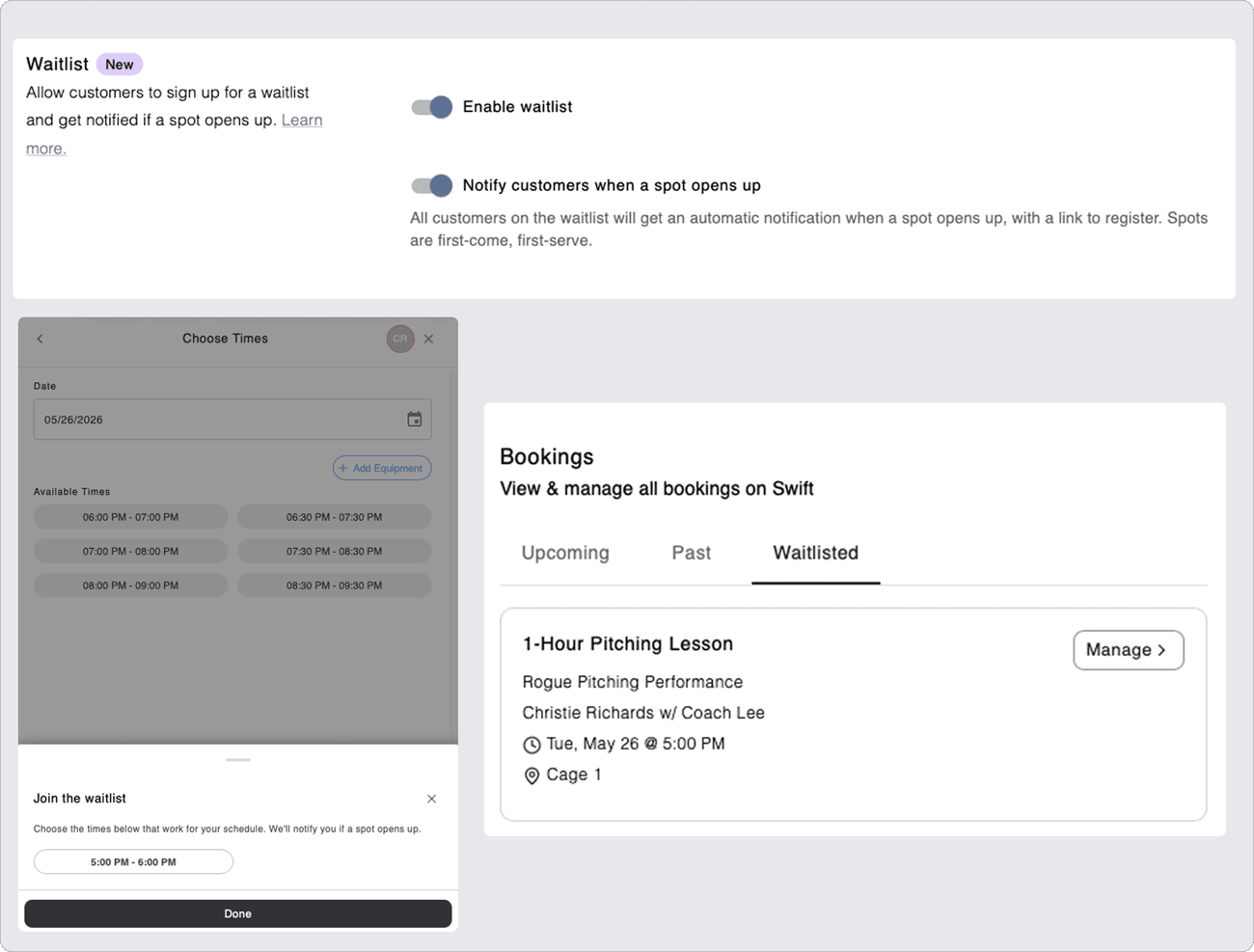
Waitlists let your customers queue up for camps, classes, and even lessons.
You can manually pull people off the waitlist, or configure the service to automatically notify waitlisted participants when someone cancels, or a new spot becomes available for a class or camp.
If your facility has instructors who are regularly booked out, your waitlist becomes a powerful tool in protecting that revenue. The moment a lesson slot opens up, with automatic notifications enabled, your waitlisted clients will receive a prompt to register. This means no manual outreach, no lost bookings, and no gaps in your instructor's schedule.
Customers can also always view or remove themselves from any waitlisted session directly from the “Activity” tab in their account settings.
Please note: waitlists are available exclusively on the Standard plan. If you’re interested in upgrading your facility, please contact our support team at support@runswiftapp.com
Custom Fields
Every facility is different, and so is the information you need from your customers.
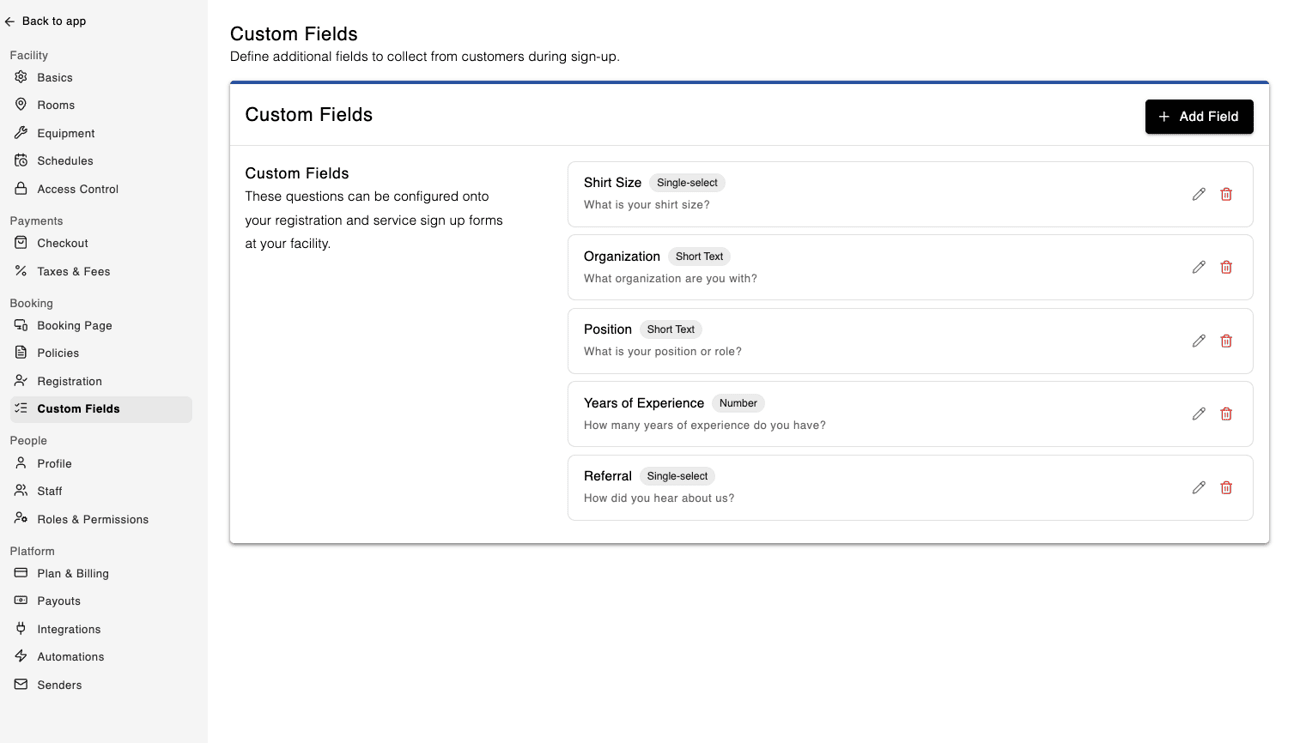
Whether it’s allergy details for summer camps, skill level for lessons, or custom membership terms, our new Custom Fields feature gives you the flexibility to collect exactly what matters to your business.
To start, navigate to the Custom Fields section in your facility settings. Here you can configure numerous custom input fields spanning multiple formats like text, date, multi-select, checkbox, etc.
Please note: Custom fields are available exclusively on the Standard plan. If you’re interested in upgrading your facility, please contact our support team at support@runswiftapp.com
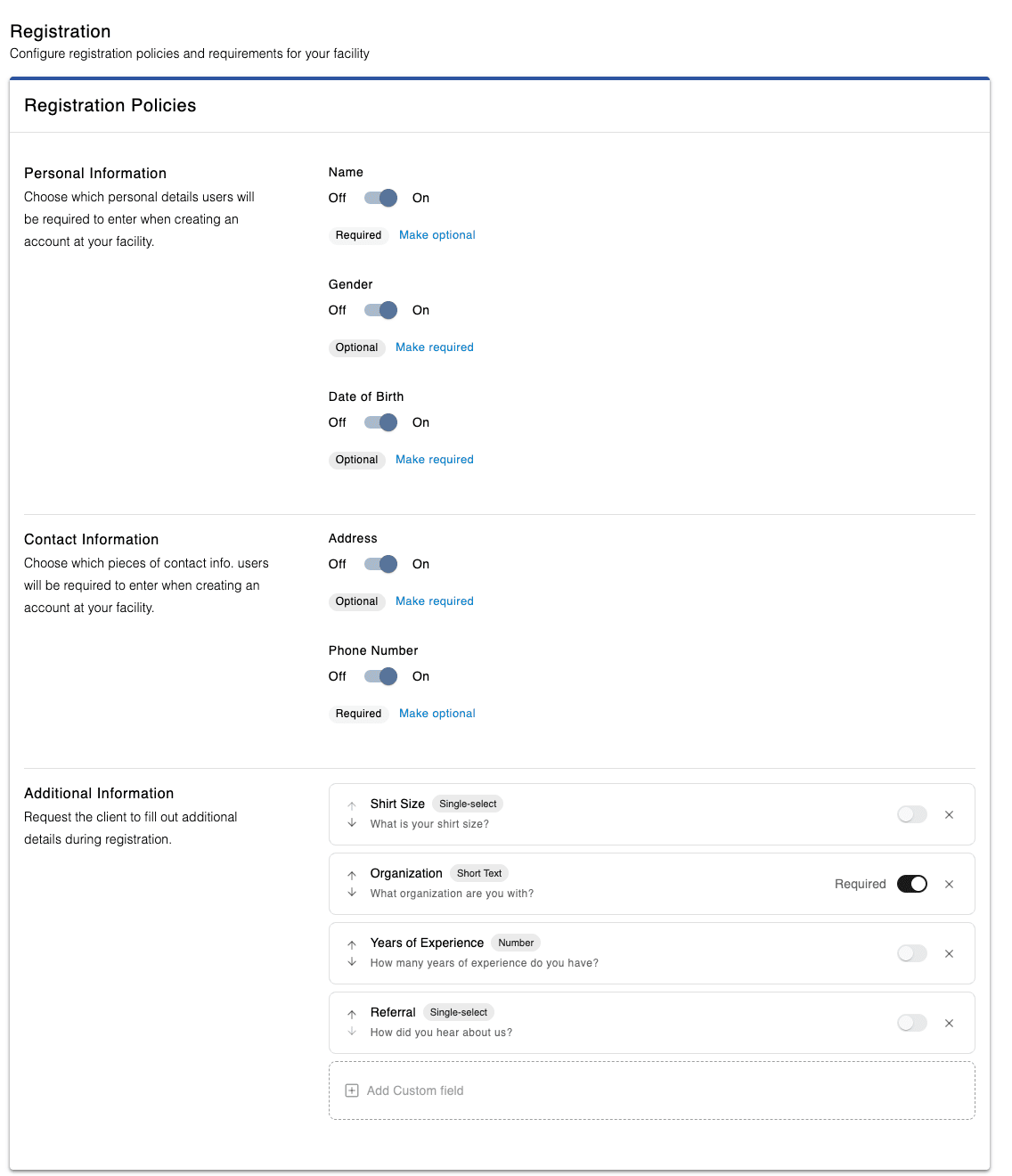
Once configured, a Custom Field can then be added to your registration policies so new customers will be asked to provide information specific to your facility during their account creation.
Feel free to add as many additional fields here as you’d like and require ones that are crucial to your business, like an agreement checkbox to your facility rules or membership terms.
A Custom Field can also be attached to specific services, prompting customers to provide additional information when booking Rentals, Lessons, Camps, or Classes.
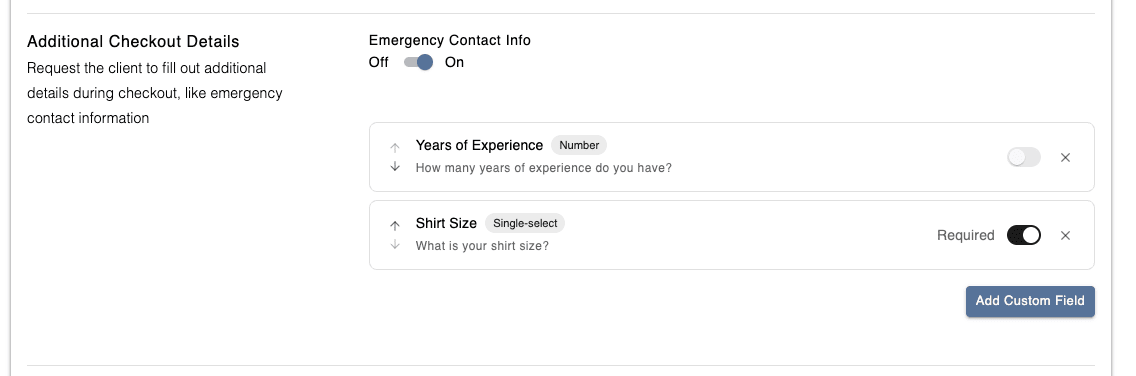
In either place, you can mark fields as “required” to make sure the right information is collected at the right time.
For details that come up later, you and your staff can manually add custom fields to a customer’s profile, making it easier to keep all important customer information organized in one place.
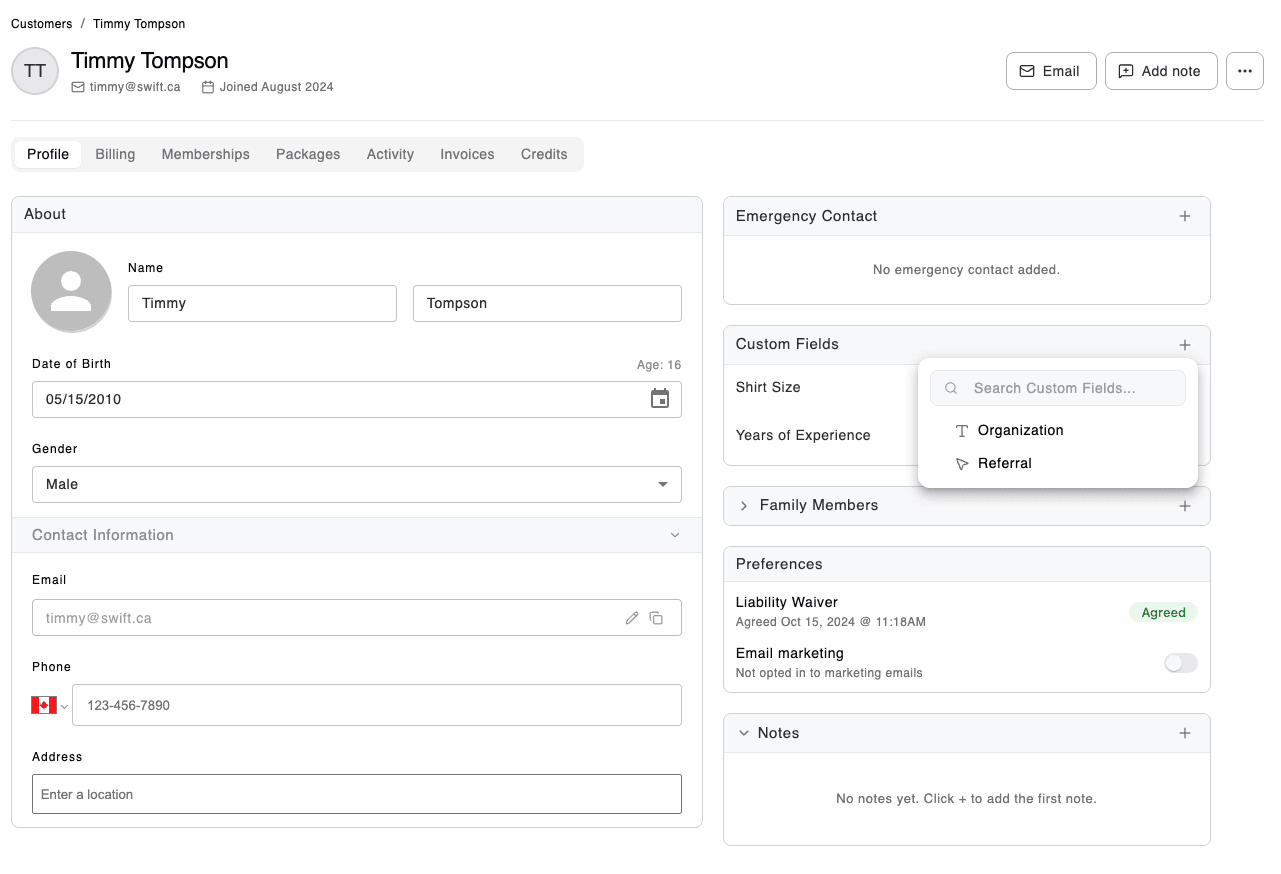
Please note: several old default registration policies within Swift (like shirt size, organization, etc) have been converted to custom fields automatically. Not to worry, though, all your data has been stored and converted for you.
Expanded Stripe POS terminal support
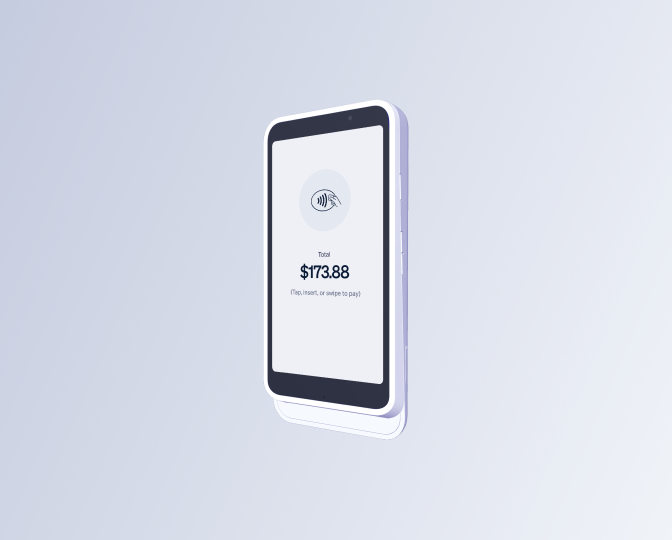
We've expanded our Stripe terminal lineup to give your facility more flexibility for in-person payments.
Alongside the BBPOS WisePOS E you already know, you can now choose from two new options:
- Stripe Reader S700: a countertop reader with a larger touchscreen, built for fixed checkout stations and higher-volume environments.
- Stripe Reader S710: same setup as the S700, plus cellular connectivity as a backup when Wi-Fi isn't reliable.
Whether your team takes payments on the go, at a front desk, or somewhere with spotty internet, there's now a terminal that fits how you actually work.
Customer search with phone number
Your customer list keeps growing — and so does the time it takes to find the right person. You can now search by phone number anywhere you'd normally search by name or email in Swift.
A small change, but one we hope shaves a few seconds off every lookup.
The road ahead
At Swift, we’re laser-focused on helping your business grow and making your life easier as a facility owner, staff, coach, and customer.
Here's a look at what's coming next:
- SMS blasts
- Personalized home dashboard
- Service groups & collections
- A redesign of our service forms
- Swift websites!
- And something else big...
Do you have any questions about this update or anything else? Just hit reply. We’re always here to help.
Thanks for reading!