The warmer weather is here, and Swift is heating up.
PS: If you missed last month’s updates, be sure to catch up. We released a ton of new features, including partial payments with wallet, a redesigned customer profile, bulk customer uploads, calendar customization, and more.
April Product Updates
Here’s a look at what shipped this month:
1. Access control configuration options
2. Customer.create Zapier action
3. Scheduled memberships
4. Automatic marketing email opt-ins for U.S. facilities
5. + dozens of quality of life improvements and bug fixes
Access control configuration options
Access control is one of the most powerful ways to unlock more revenue in Swift, helping your facility fill off-peak hours, reduce front desk work, and improve profitability.
But with any connected lock system, reliability matters. A missed code, delayed code, or device issue can quickly turn into a stressed call or text from a customer standing outside your facility.
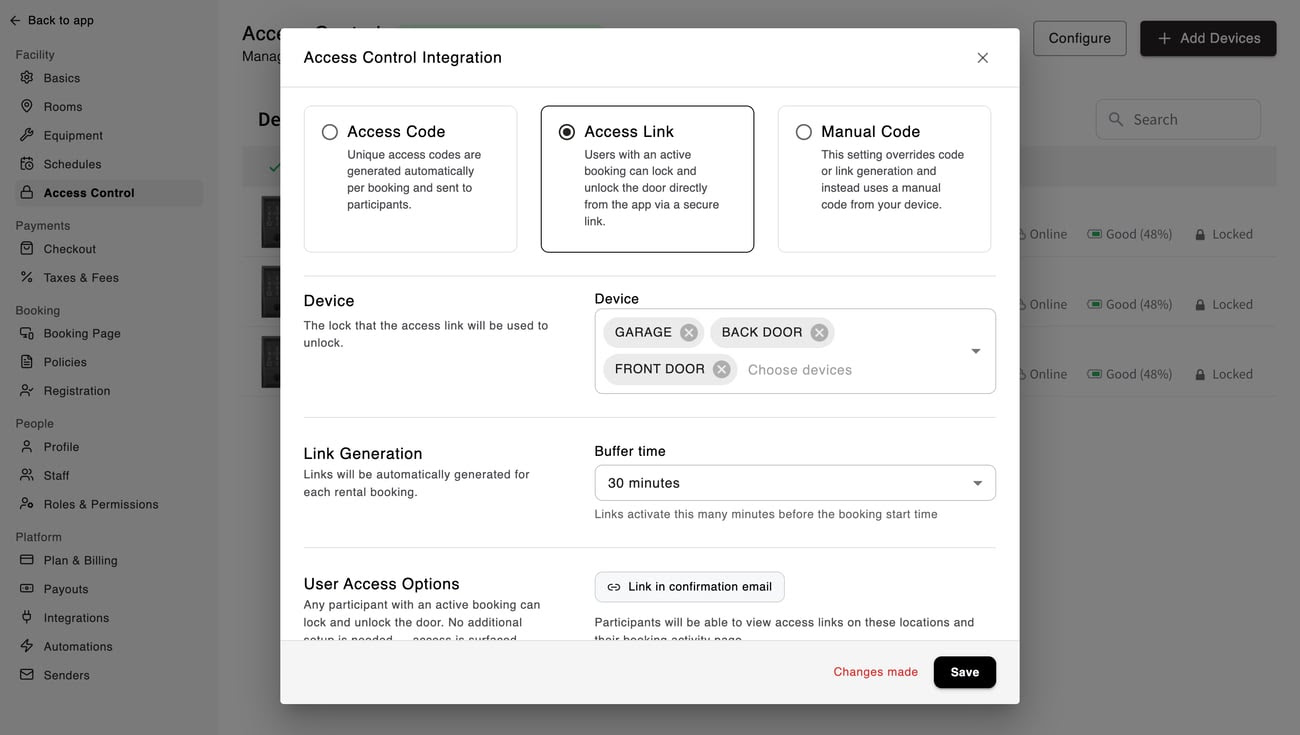
To make access control more flexible and dependable, we’ve added two new configuration options: Access Links and Manual Backup Codes.
#1 - Access Links
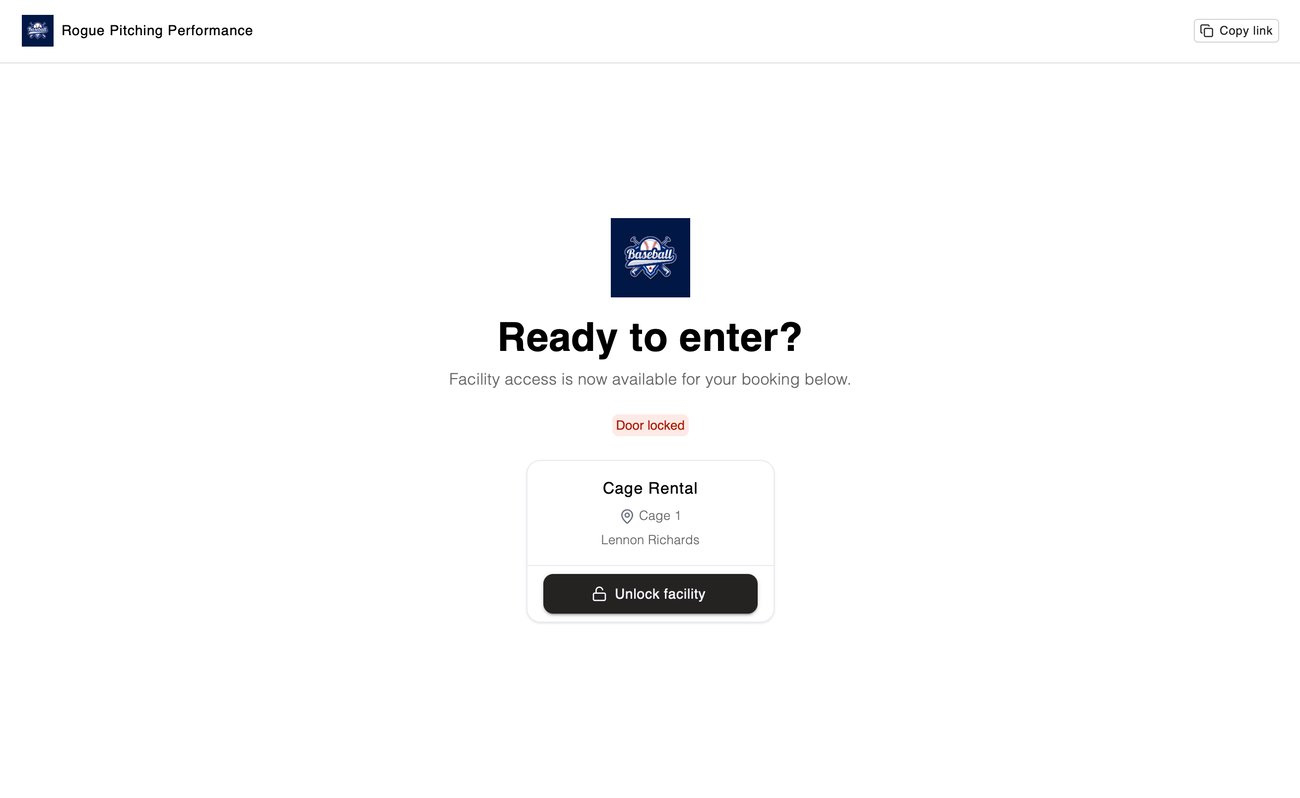
Instead of sending customers a time-bound keypad code, Swift can now generate an access link for their booking.
With this mode, customers can unlock the door directly from their Swift account or booking email during their reservation. They do not need to enter a code or touch the lock keypad.
This is a great option for facilities that want a simpler, more reliable access experience while still supporting unattended bookings, private rentals, and after-hours facility access.
#2 - Manual Backup Codes
Instead of sending customers a time-bound keypad code, Swift can now generate an access link for their booking.
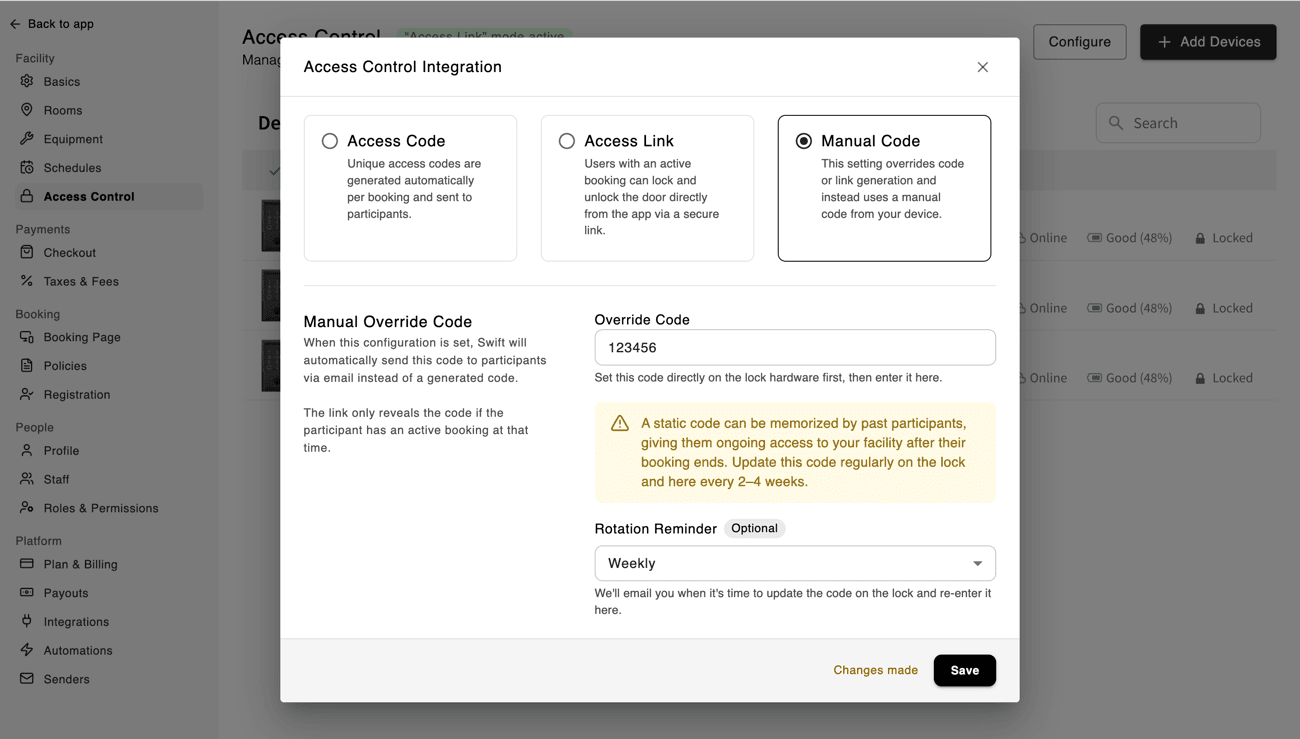
Once enabled, Swift automatically sends customers a backup code that you’ve manually set on your device, giving them a reliable way to access your facility without having to contact you for help.
You can also choose to set a reminder to rotate the code manually on your device. When set, Swift will send you an email reminder when it’s time to update your code.
PS: Swift will try to flag potential issues early so you can switch modes before customers are affected.
customer.create Zapier action
Last month, we announced new Zapier triggers for classes, camps, and memberships, giving you more ways to automate what happens after an event takes place inside Swift.
Now, we’re taking the next step with our first Zapier action: customer.create
Until now, Swift’s Zapier integration has helped you send data from Swift into other tools. Now, with our first action, customer.create, you can use events from other systems to automatically create customers in Swift.
Here are a few ways you could use the new customer.create action:
- Create a new customer in Swift when someone joins your mailing list through your website
- Add a customer in Swift after they create an account in your player development software
- Automatically create customer records from form submissions, lead capture tools, or other connected apps
This is an exciting first step toward more Zapier actions in Swift, making it easier to connect the systems powering your business.
The goal is simple: reduce manual admin work and give your team more time to focus on growing your facility.
Please note: To access the latest Zapier capabilities, make sure your Zaps are updated to the newest version of Swift.
Scheduled memberships
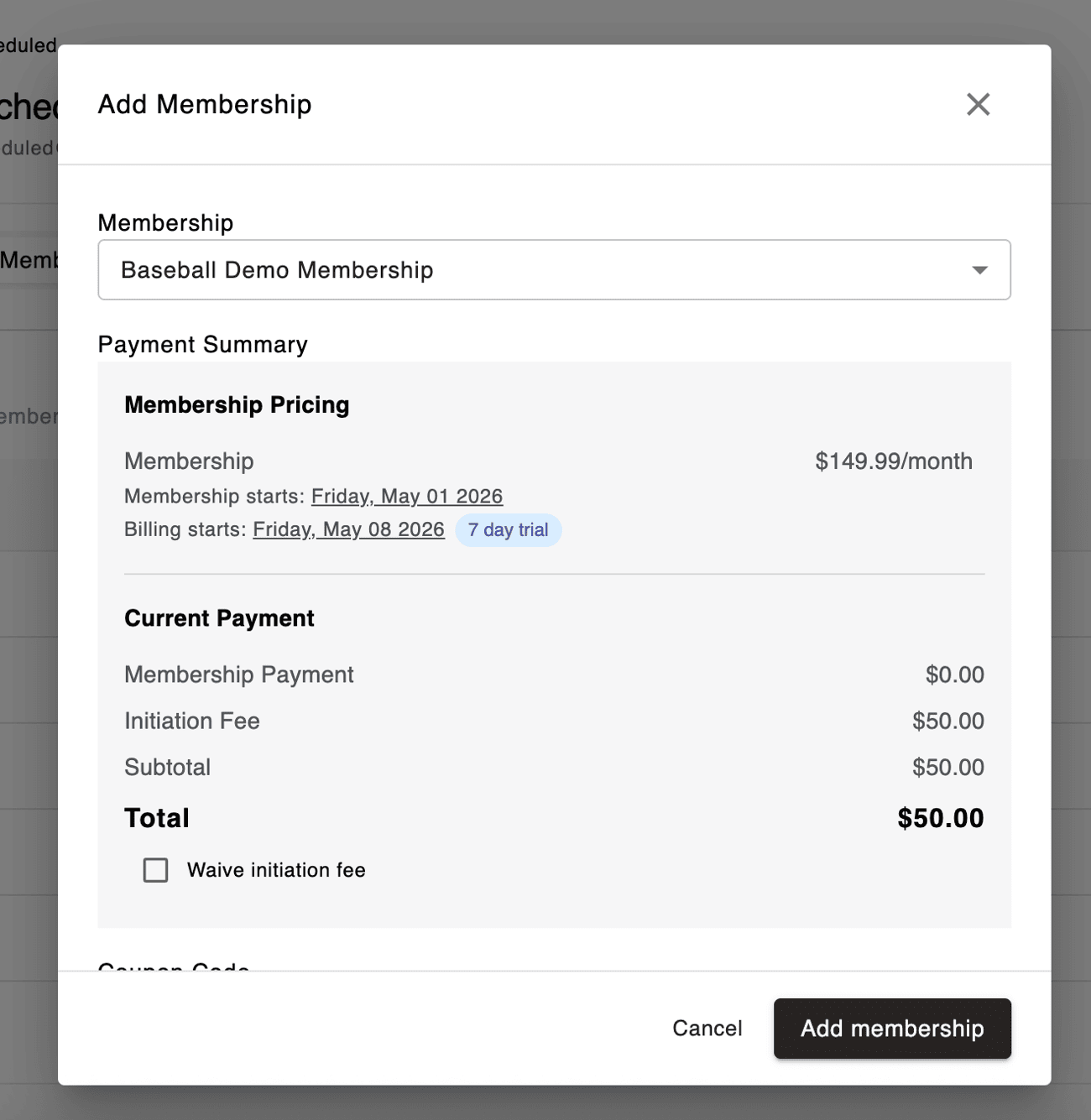
For facilities using Swift’s new in-house membership billing, we’ve added support for scheduled memberships.
You can now set both:
- The date membership billing begins
- The date the customer starts receiving membership benefits
This gives you more flexibility when selling memberships in advance, setting up future start dates, or managing customers who are joining before their membership officially begins.
We’re excited to see how facilities use this to create new membership options and make billing even easier inside Swift.
For facilities that have not yet been migrated to the new membership features, which include lower processing fees on membership payments, we’ll be moving existing customers over throughout May. If you’d like to be first in line, you can add yourself to the waitlist here.
Automatic marketing email opt-ins for U.S. facilities
Email marketing through Swift is one of the most direct ways to reach your customers. But when only a small number of customers are opted in, it can be harder to get your most important messages seen.
Going forward, Swift will automatically opt customers into marketing emails for US-based facilities. We've done this to improve your marketing efforts, while still being compliant with US spam laws.
That means more of your customers can receive important updates, promotions, announcements, and reminders without needing to manually adjust their email preferences first.
The road ahead
At Swift, we’re laser-focused on helping you grow your business while making life easier for facility owners, staff, coaches, and customers.
Here's a look at what's coming next:
- Waitlists
- Custom registration questions and fields
- A redesign of our service forms
- SMS blasts
- + a ton more in the pipeline
Do you have any questions about this update or anything else? Just hit reply. We’re always here to help.