
Spring is in the air, and Swift is improving faster than ever. This month, we released a ton of checkout improvements and more admin customization.
March Product Updates
This month, the team was cooking! 🧑🍳🔥
Here’s just a taste of what released this month:
1. Wallet partial payments
2. Customer profile redesign
3. Allow users to pick a rental room
4. Class checkout flow improvements
5. Bulk customer upload
6. Zapier triggers for classes, camps, and memberships!
7. Custom calendar colours
8. Support multiple locks for access control
9. “Cost of goods sold” (COGS) added to Retail
10. + dozens of quality of life improvements and bug fixes
🗂️ Wallet Partial Payments
Your customers love using their wallet balance — but until now, it was all or nothing. If a booking cost more than what was in their wallet, they couldn't use it at all. This was one of the biggest frustrations with our wallet feature.
That changes this month. Customers can now apply their wallet balance as a partial payment and cover the remainder with a credit card. This is also true anywhere you make a payment in Admin - you can now charge the Wallet partially for things like retail, invoices, bookings, and more.
Less friction at checkout, fewer abandoned bookings, and happier customers.

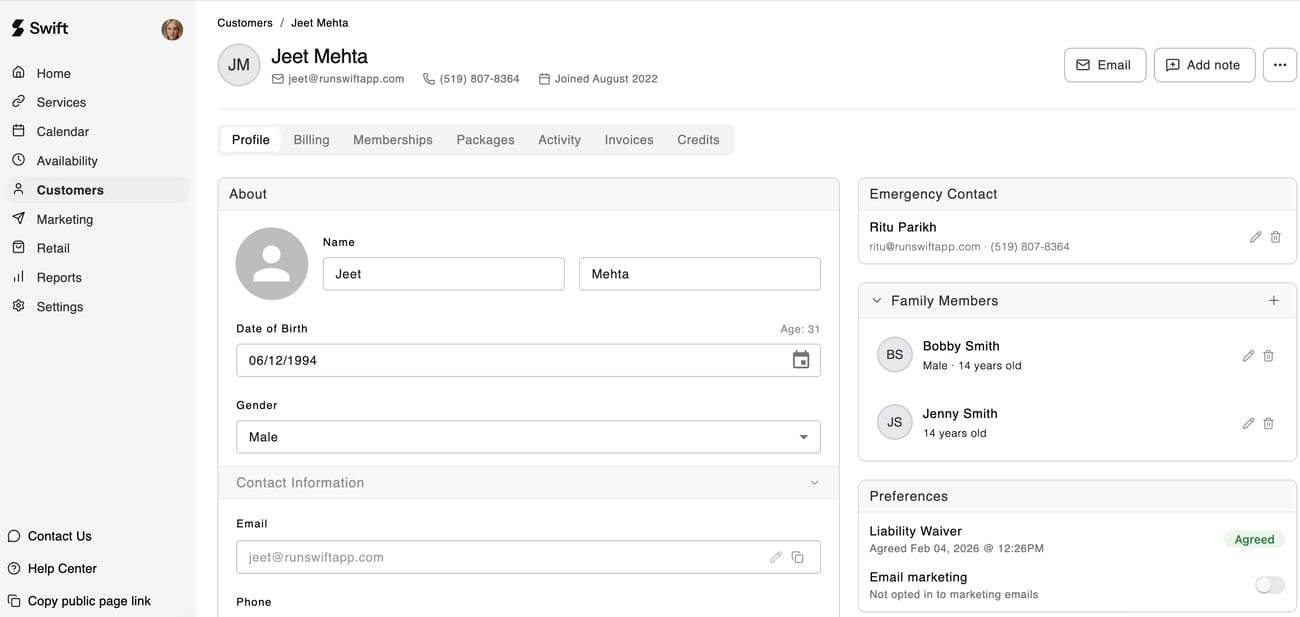
👤 Customer Profile Redesign
We've given customer profiles a complete overhaul. Everything you need to know about a customer — their bookings, payments, memberships, and more — is now cleaner, faster to navigate, and easier to act on.
Whether you're looking up at a customer at the front desk or doing a deep dive from the back office, the new profile gives you the full picture at a glance.
Plus there’s some hidden easter egg improvements - the ability to add multiple notes, easily calling a customer by clicking on the phone number, searching through payments and bookings table, drag table columns, and more! 🎉
See if you can spot ‘em all!

🏠 Allow Users to Pick a Rental Room
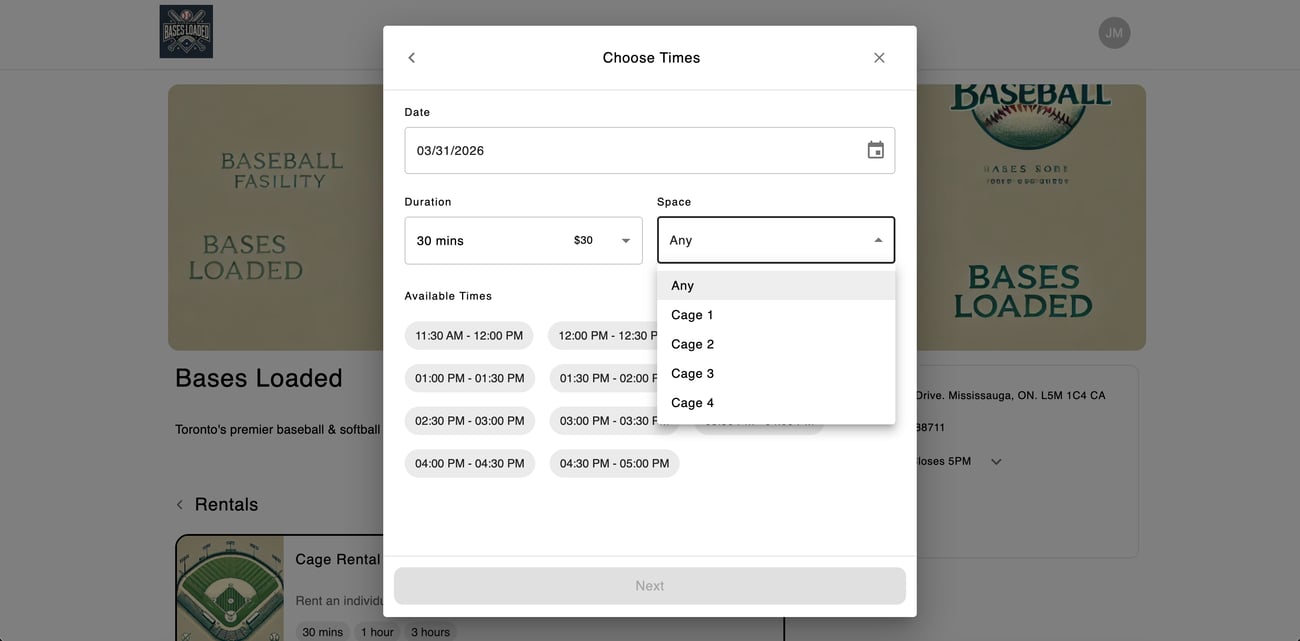
Previously, when a customer booked a rental, Swift automatically placed them into any available room. Simple, but not always ideal — especially for customers who have a favourite cage or court.
Now, customers can choose. A new dropdown on the booking page defaults to "Any" (so nothing changes if they don't have a preference), but they can select a specific room and the available time slots will update accordingly. More control for your customers, with zero extra work for you.
🏫 Class Checkout Flow Improvements
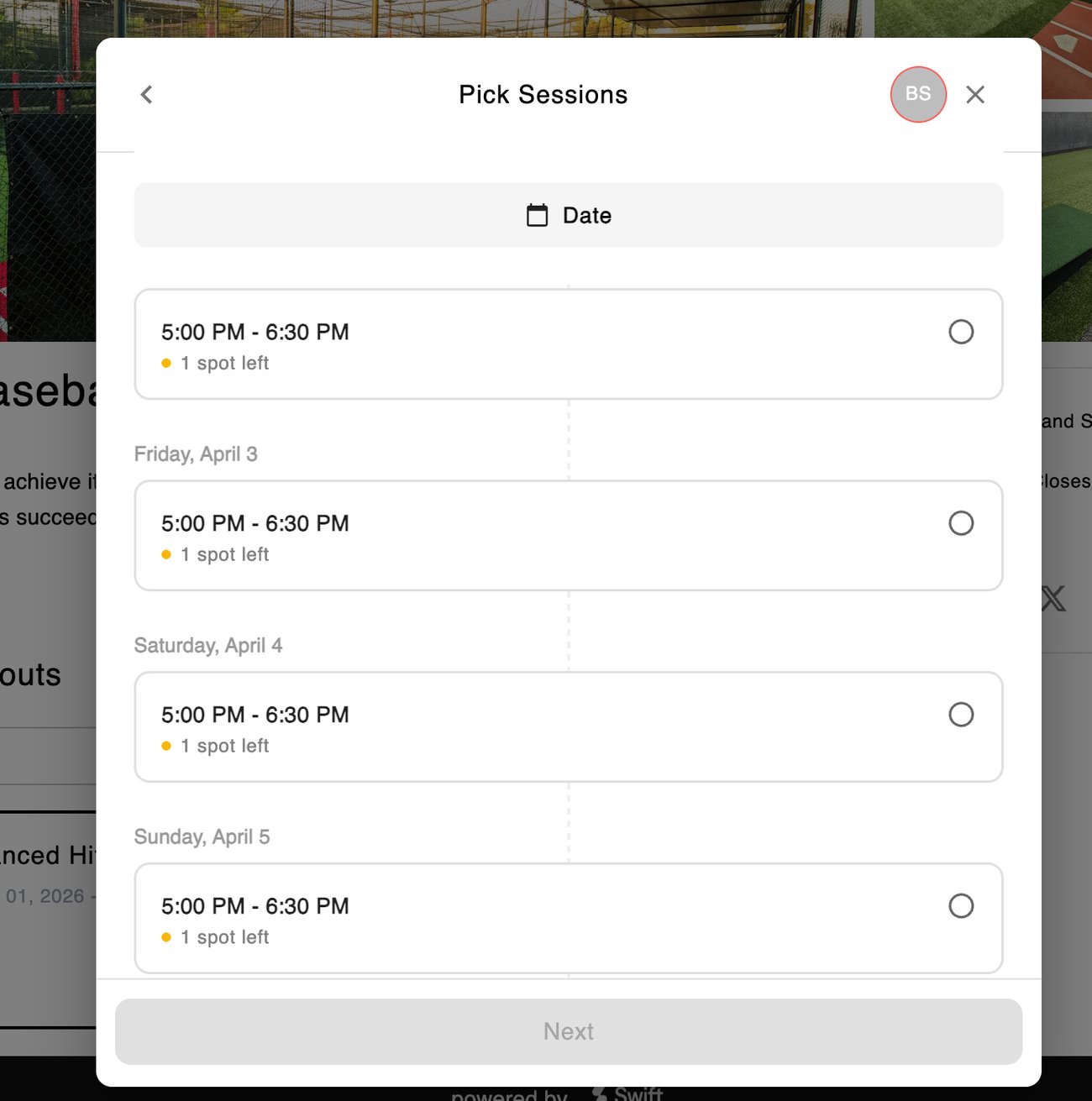
One of the biggest frustrations with drop-in classes was that customers often didn’t know how to pick multiple sessions. They’d have to click on the date picker, and change the date every time they wanted to add more sessions to their cart.
This flow wasn’t intuitive, so we changed it! Classes now show all sessions in a vertical timeline-based view. Customers can easily see all sessions in one spot, scroll, add the ones they’d like to cart, and continue.
If they need to jump to a specific date, the date picker still exists. Choosing a date in the future will just auto-scroll to the sessions on that date!
📋 Bulk Customer Upload
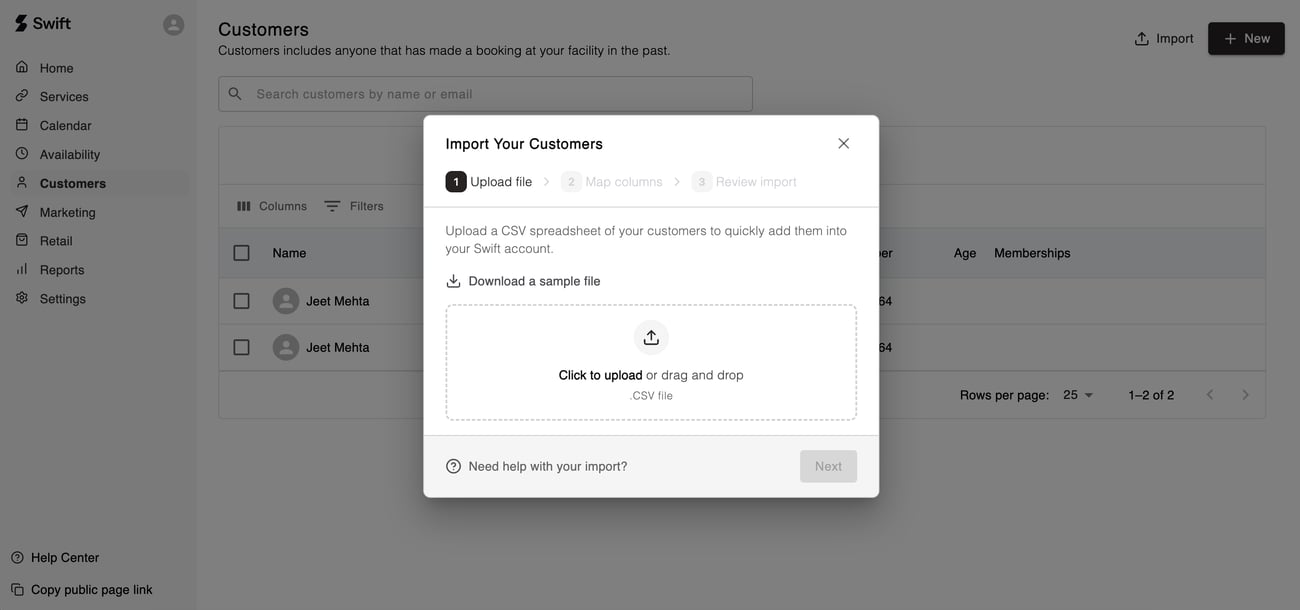
Previously, if you were migrating from a different platform (or just had a new spreadsheet of customers to import), you’d have to reach out to our Support team and wait for the engineers to run a migration on your account.
Not anymore! Bulk customer import exists directly in Swift so you can get your customer list setup without reaching out to us. Just click the “Import” button on the Customers page to get started.
This process is nearly instant for most list sizes, and can be finished in minutes for bigger lists. Just another step in making Swift as self-serve as possible for you!
⚡ Zapier Triggers for Classes, Camps, and Memberships
Zapier has been a powerful tool for automating your workflows around customers and bookings — and now it's even more powerful. We've added Zapier triggers for classes, camps, and memberships, so you can build automations around even more of what happens in Swift.
Think: automatically tagging a customer in Mailchimp when they join a membership, or texting a staff member if someone cancels their membership, or sending a custom registration email when someone registers for a camp. The possibilities are endless.
Just update your Zaps to the latest version of Swift (v1.3.0) for access. For a full breakdown of the new Zapier events, check out our help center.
There’s also Zapier actions which are coming soon! We’ll start with the “customer create” action (being able to automatically create a profile in Swift) and expand as we hear more feedback!
PS: If your membership events aren’t triggering, reach out to us! You’re likely on the old billing system, we can get you migrated over.

🎨 Custom Calendar Colours
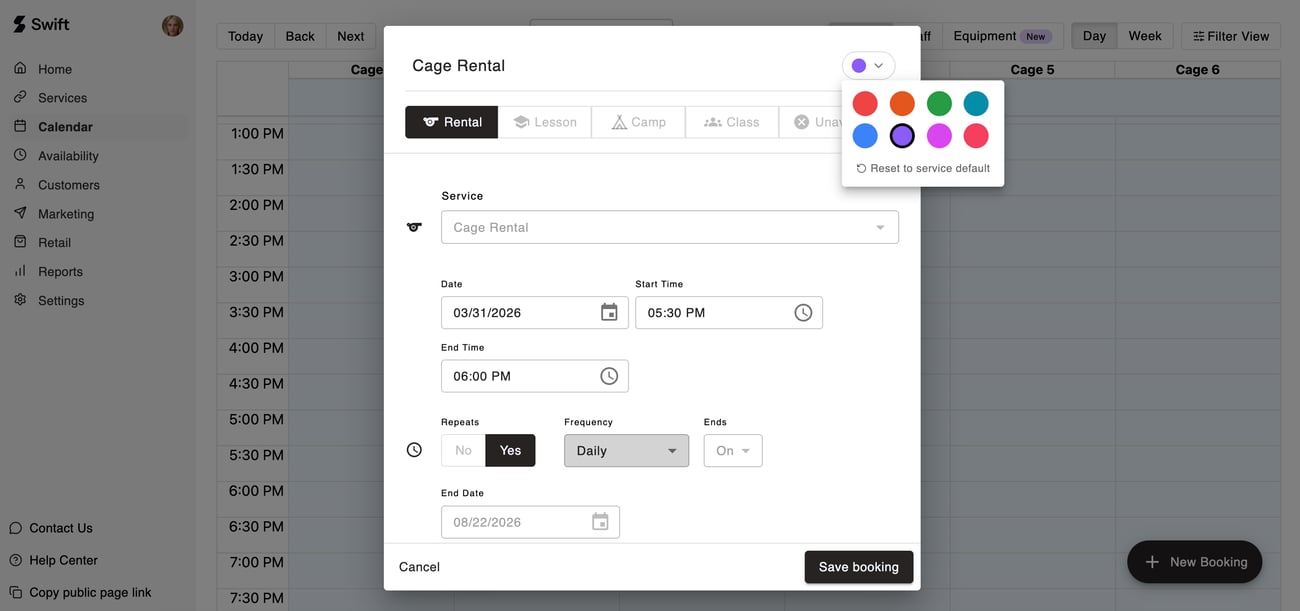
As your calendar gets busier, it becomes harder to parse! Every rental is blue, every lesson is orange, etc. How do you easily distinguish between the weekly “12U Bulldogs Team Rental” and the one-off cage booking from Joe?
You can now! Every service and staff member now has a “custom calendar colour” which can be configured under Advanced Settings - allowing you to easily organize your calendar the way you want! You can also override the color of individual bookings if you need to make a one-off change.
One look and you know exactly what's going on.


🔐 Multi-Device Access Control
If your facility uses Swift's access control integration, you already know how powerful it is — Swift generates a unique, time-bound access code for each booking that's only valid a few minutes before the booking starts. Clean, secure, and seamless for your customers.
Until now, this only worked with a single lock, limiting you to one entry point connected to Swift. Not anymore. You can now connect multiple locks across your facility, so whether it's the front entrance, a back cage, or a private training room, Swift can generate a single code for every door — all tied to the same booking.

🛍️ Cost of Goods Sold (COGS) for Retail
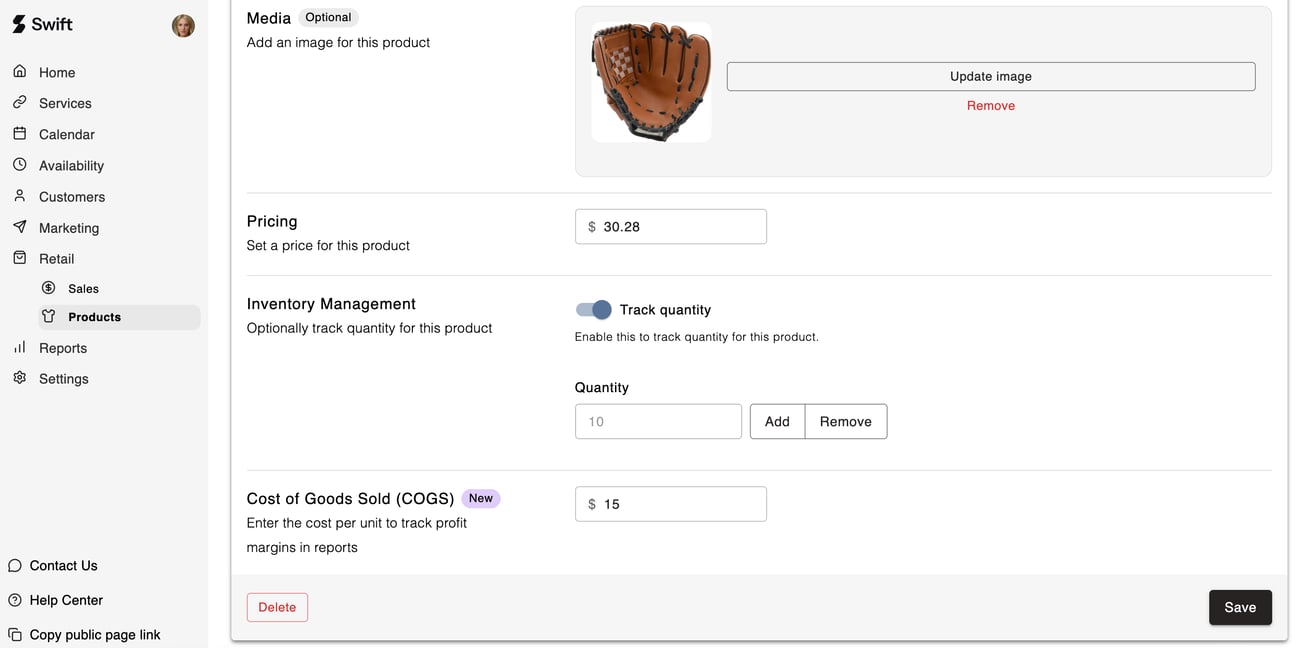
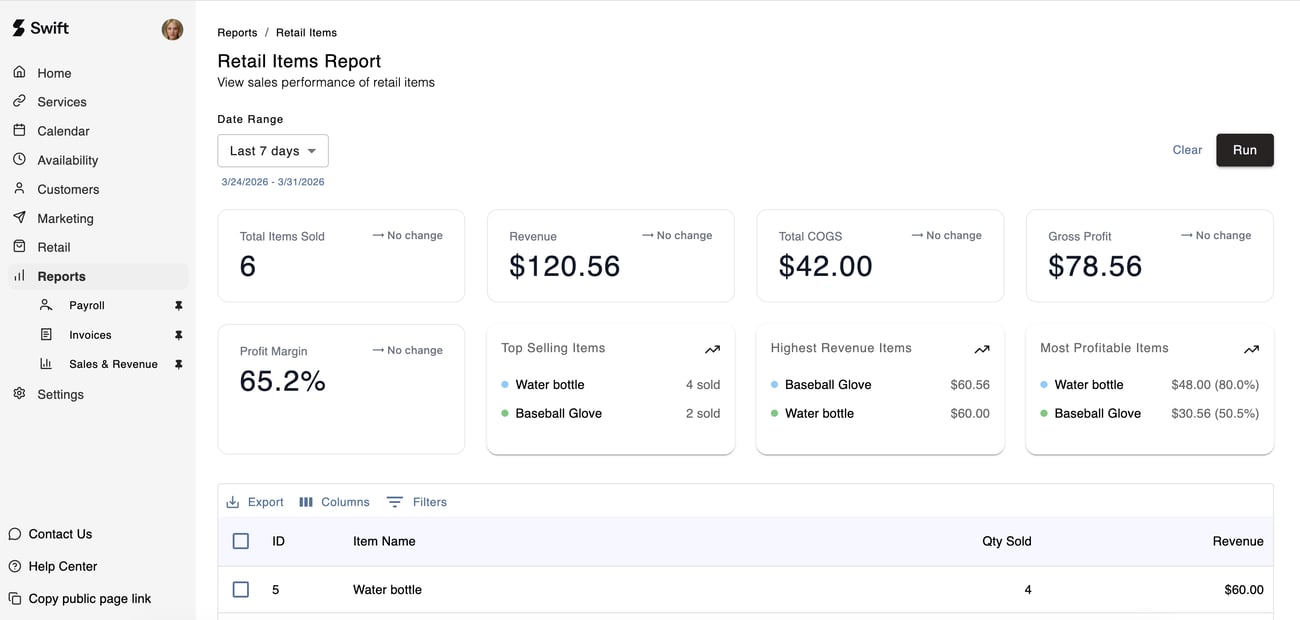
Revenue is great — but profit is what matters. Previously, retail reports showed you what you sold and how much you made, but nothing about what those items actually cost you.
Now, when creating a product, you can optionally enter a cost of goods sold (COGS) value. Once you do, your Retail Sales and Retail Items reports will automatically surface profit and margin data alongside your revenue figures. Know exactly which products are your best performers — and which ones might not be worth the shelf space.

🛣️ The road ahead
At Swift, we're committed to helping make life easier for you, your coaches, and your customers.
Here's a look at what's next:
- Equipment add-ons & upsells
- Waitlists
- Custom registration questions and fields
- A redesign of our service forms
- + a ton more in the pipeline
Do you have any questions about this update or anything else? Just hit reply. We’re always here to help.
Thanks for reading!


